Account
Manage your brands, add your other websites so citations count as yours, change your password and profile, and connect AI chatbots.
Your password, profile, brands and connected AI chatbots are all managed on one page in citeme.eu: Account, at the bottom of the sidebar. Each part has its own tab, and the links below open the tab directly.
Change your password
Open Account → Security, enter your current password and the new one twice, and click Update Password. The new password must be at least 8 characters long.
If you've forgotten your password, write to [email protected] from the email address you sign in with.
Your profile
Account → Profile holds your first and last name. The email address you sign in with can't be changed there. If you need to change it, write to [email protected].
Your brands
Account → Brands lists every brand you have access to. For each one you can:
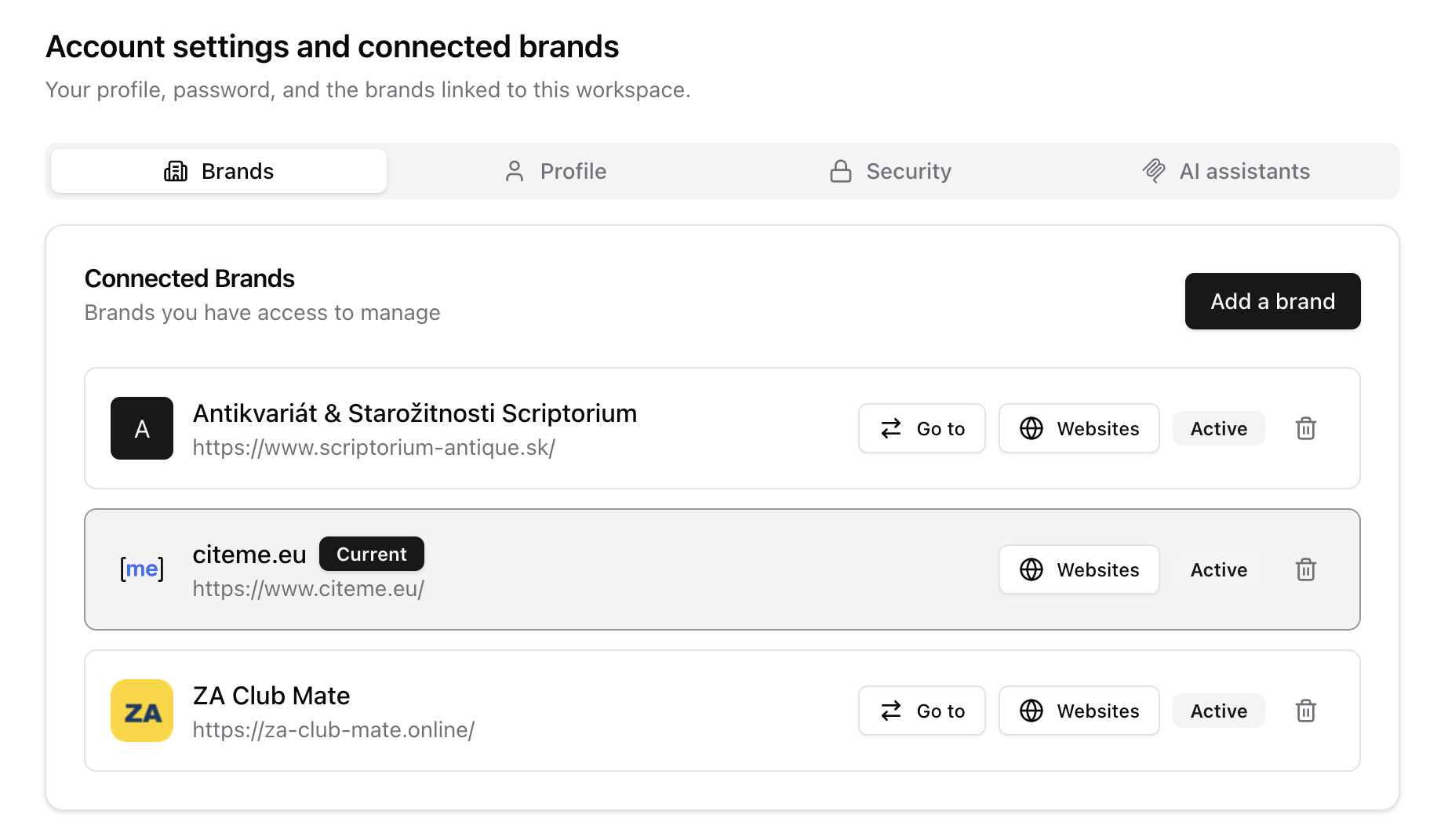 Account → Brands
- Go to it, to switch the whole app to that brand. The brand you're working in is marked Current.
- Click the Websites button, to add the brand's other sites and social profiles besides its main website. Citations and search results on them count as the brand's own, the same as its main website. Why this matters.
- Remove it, which unlinks the brand from your account. You lose access to it, so you'll be asked to type the brand's name to confirm.
Add a brand first checks that your plan has room for another one, then starts the same setup as your first brand: you enter the website, and citeme.eu prepares the brand profile.
Your plan's runs and active prompt slots are shared by all your brands. See Plans, runs and limits.
Add your other websites
Many brands are not only their main website. You may also run a shop on another domain, a blog or a LinkedIn company profile. AI chatbots and search engines cite all of these, and without help citeme.eu would see them as somebody else's sites.
Adding them under Websites tells citeme.eu they are yours, and that changes three things:
- Citations are sorted correctly. A page on one of your sites is counted as you in Cited sources, not as a directory, community or other third party. Your share of own-site citations is then the real one, and the sites you should get your brand mentioned on aren't muddied by pages you already control.
- Search results are credited to you. If one of your sites ranks for a tracked search query, it counts as your presence in Search visibility, the same as your main website.
- Other names are recognised. Optionally, enter the name your brand goes by on that site (for example the name of a product line). Mentions of it in AI answers then count as your brand. Leave it empty if the site names someone else, such as a party behind a candidate.
Only add sites and profiles you control, where you decide what is published. Don't add directories, review sites, forums or other places where the content is mostly written by the community or by others, even if your brand has a page there. Those are exactly the third-party sources you want to see separately in Cited sources, and adding them would count them as your own.
To add one, click the Websites button on the brand's row in Account → Brands, then Add a website, enter the address and check the preview. For a social network, link your own profile or page (for example linkedin.com/company/yourcompany), not the platform itself.
If the site is currently tracked as a competitor, adding it as yours stops tracking it as a competitor. The sites you list are saved for this brand only.
Connected AI chatbots
Account → AI assistants has the address for connecting Claude, ChatGPT or another AI chatbot to your citeme.eu data, and lists the ones already connected. You can disconnect any of them there. See Connect Claude or ChatGPT.