Compare AI chatbot answers in one place
Ask ChatGPT, Gemini, Perplexity and Google one question at once and see in seconds whether they name your brand, cite your site or recommend competitors.
Compare answers shows how AI chatbots and search engines answer a prompt before you add it to regular tracking. It asks one question everywhere at once and puts the answers side by side within seconds. It is the quickest way to find out whether a prompt is worth tracking: whether chatbots answer it with brands at all, whether they name you, and who they name instead. You don't have to add the prompt and wait for the next scheduled runs to see.
Run a comparison
Open it with Try first in the Add prompt dialog, or next to a prompt idea from the AI Assistant. The prompt and topic are filled in, and nothing runs until you click Compare.
- Write the prompt the way your customers would ask it.
- The market and language are preset. Change them to ask from another country.
- The AI chatbots ChatGPT, Google AI Mode, Gemini and Perplexity are preselected, so there is nothing to do. You can switch any of them off.
- Optionally add search engines: Google, which shows both its search results and its AI Overview, and Tavily and Exa, which AI agents use to look things up.
- Optionally add checks of your own, then click Compare.
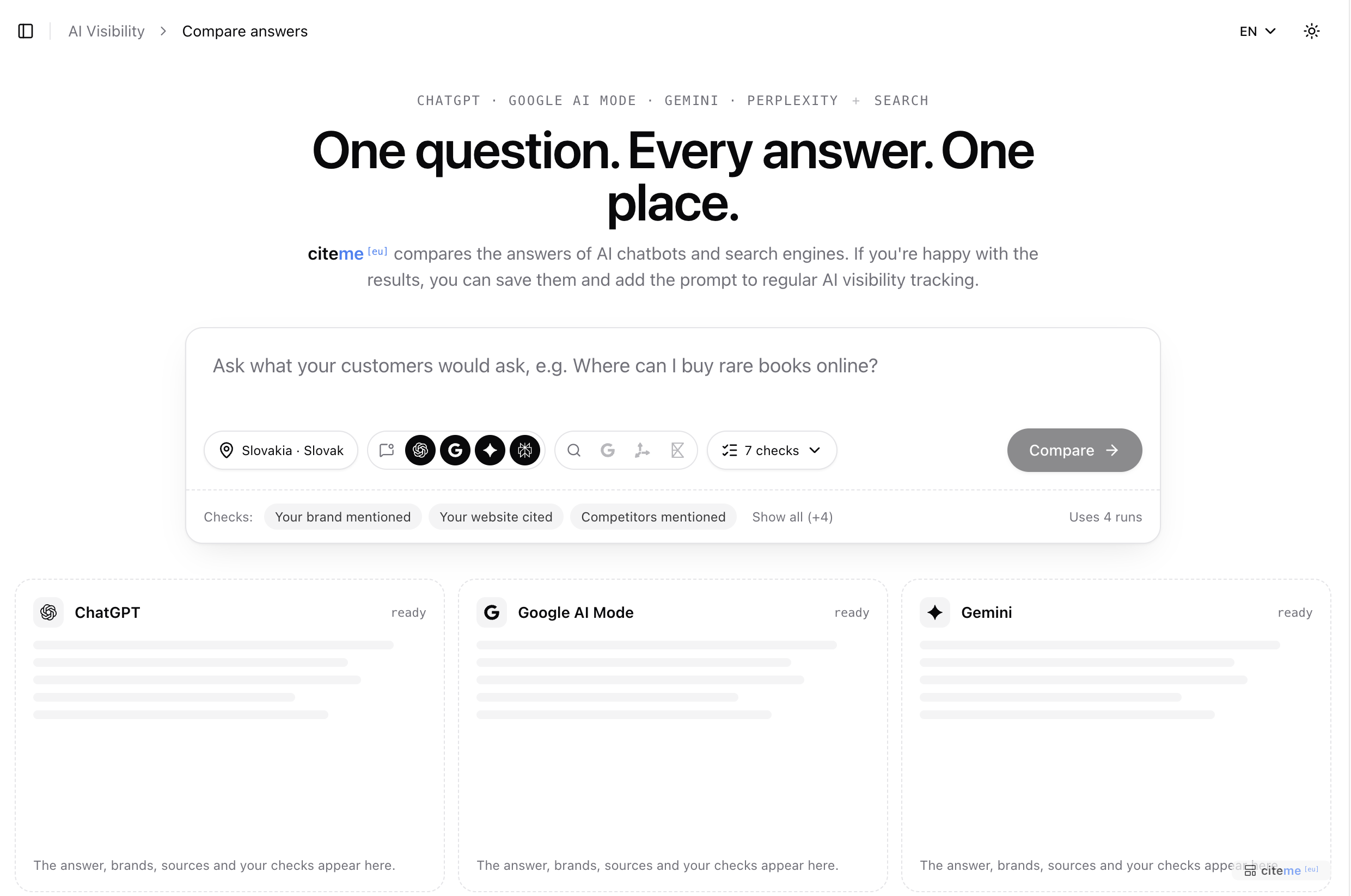 Before a comparison: the market and AI chatbots are preset, just write the question
What you see
- The summary: which answers name your brand, cite your website or name your competitors, the brands the answers named and the sources they cite, by category. It fills in as the answers arrive.
- A card for each chatbot with its answer. If the chatbot names you, the card says so in its header, for example Mentioned #1 of 4, and the brands it names are highlighted in the text. Show detail opens the full answer with the pages it cites, every brand and the AI search queries the chatbot ran.
- A card for each search engine with where your site ranks and the results in order, your site and competitors marked. Google's AI Overview gets a card of its own and reads like a chatbot's answer.
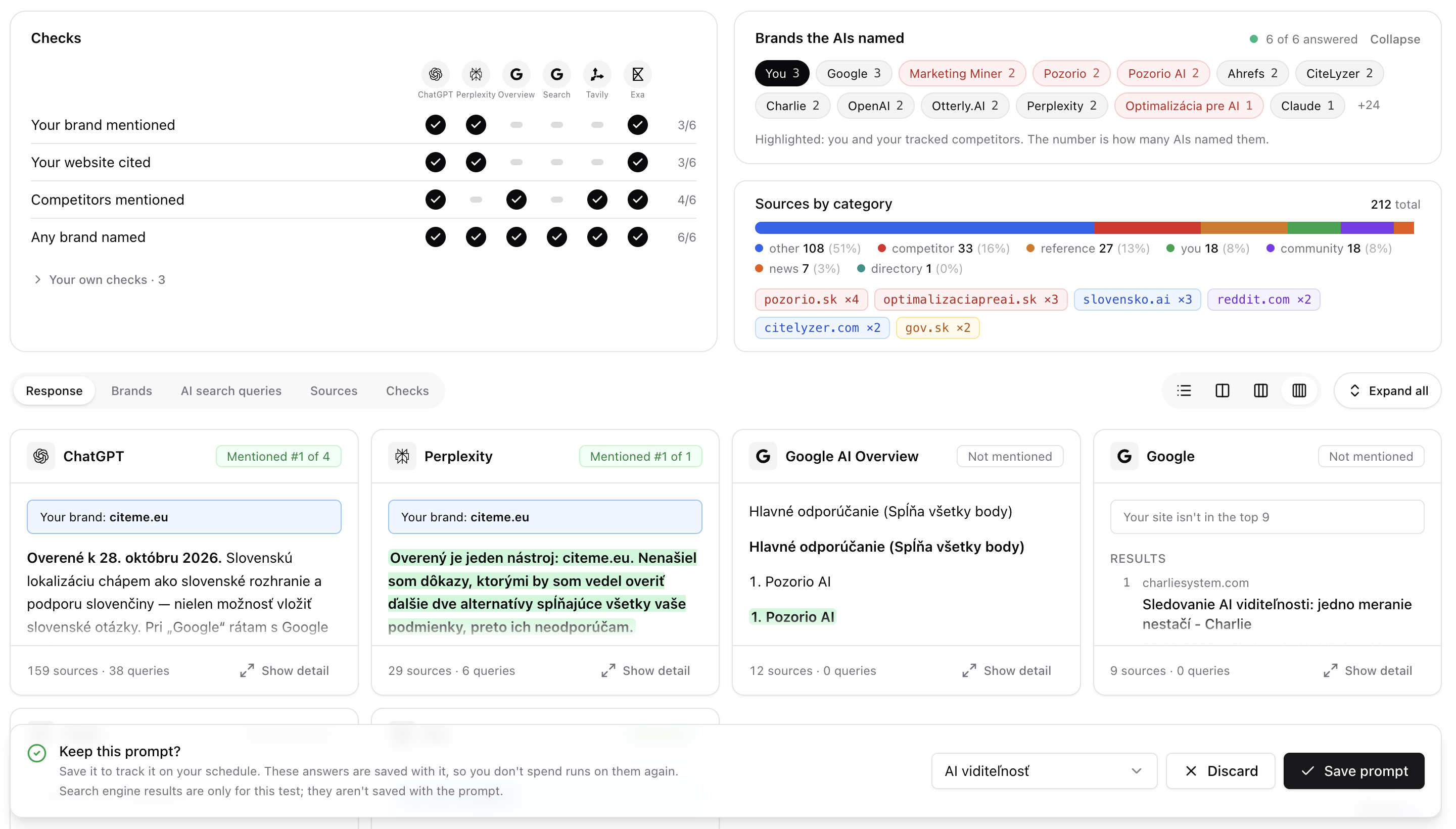 Results: ChatGPT and Perplexity name citeme.eu first, Google doesn't
Show the cards as a list or in 2 to 4 columns.
Your own checks
citeme.eu automatically checks every answer for whether it names your brand, cites your website, names competitors or any brand, and whether the chatbot answered directly. Your own checks come on top: questions you ask about the answers yourself. Their results sit next to each chatbot in the checks table, so you see at a glance where the answers differ. You can add up to 5. Each one has a fixed kind of answer, so the results can be compared across chatbots.
Yes / no for a question with a clear yes or no. For example: "Does the answer take every requirement in the prompt into account, such as budget or location?" You learn which chatbots really answer a detailed prompt, and which give a generic answer.
Choice for fixed categories, where an answer falls into exactly one of them. For example: "What does the chatbot recommend?" with the options Companies, Products and Both. You learn whether to strengthen the pages about your company or about your products.
Rating for things that are less clear-cut, where answers differ by degree rather than by kind. You name the levels, and each answer gets the one that fits best. For example: "How strongly does the chatbot recommend our brand?" with the levels:
- It doesn't mention it
- It mentions it among others
- It recommends it as one of the best
- It recommends it as the first choice
That tells you more than the standard check, which only says whether you are mentioned. Another rating: "How sure does the chatbot seem of its answer?", from It says it doesn't know or can't answer to It answers directly, without caveats. Where chatbots are unsure, a good page on your site has a better chance of being cited.
Be creative with ratings. They fit anything that runs from least to most: how detailed a comparison is, how trustworthy the sources look, or how closely the answer matches what you offer.
Your own checks judge AI answers: the chatbots and Google's AI Overview, not lists of search results. They are only for the comparison and are not saved with the prompt.
Save or discard
- Save prompt adds the prompt to regular tracking under its topic. The chatbots' answers are saved as its first results, so you don't use runs on them again. Search engine results are only for the comparison and are not saved.
- Discard saves nothing. The runs the comparison used still count.
If your active prompts are at the limit, you can still compare. To save, you pick a prompt to pause; its answers and history are kept. Answers you haven't saved are kept for two hours.
Each chatbot or search engine you ask uses one run from your monthly allowance; see Plans, runs and limits.